
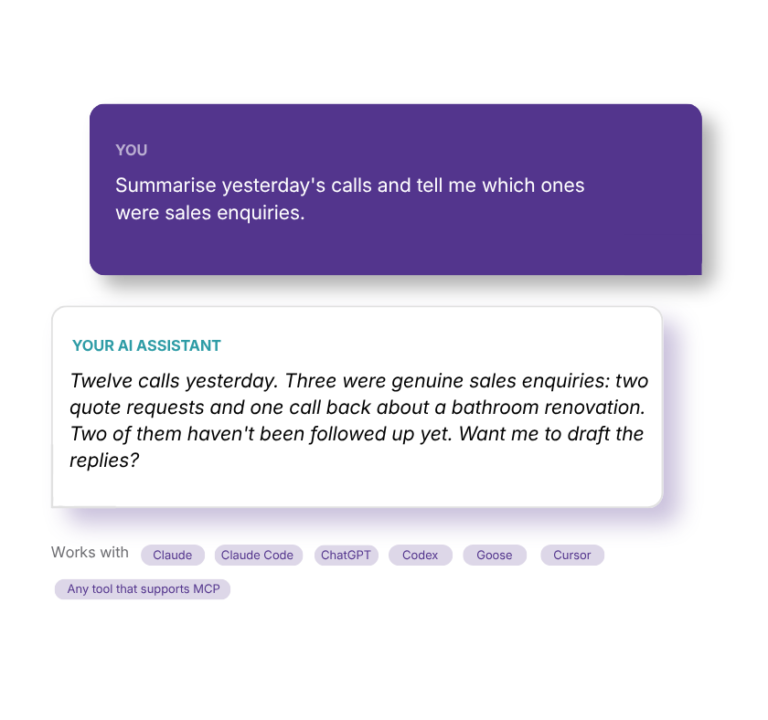
Connect Claude, ChatGPT, Claude Code, Codex or any tool that supports MCP. It works in DoubleDesk much as a staff member would, within the access you give it.
DoubleDesk's own guidance is built in: 28 skills that explain how DoubleDesk works and how to do each job well, so you spend less time explaining the software.
Starting out? Your assistant can walk you through DoubleDesk's initial setup in place of the built-in guided onboarding: your business details, who takes calls and messages, the facts callers ask about and how the receptionist sounds, one question at a time. Nothing is saved as a guess, and setup completes when you say so.
Afterwards, business details, the Directory, Quick Facts, FAQs and Call Rules can be added and tidied by your assistant, read back before anything is saved.
Describe the call you want handled or the job you want done. DoubleDesk checks the result before it goes live, exactly as it does in the app.
Call History and transcripts, messages, tickets, Knowledge Gaps, the Timesheet and the figures from your Home page, for any period.
Update tickets, launch or pause Workers, and hang up a nuisance call, when you allow it.
You choose what each assistant or person can see and change, and for how long. Three ready-made options cover most needs.
DoubleDesk shows you everything to copy. No developer, and nothing installed.
In Settings, create a key for the assistant or person, choose what it may see and do, and for how long.
Your assistant takes the address DoubleDesk shows you, with the key, or signs in with it. Claude Code is a single command. For step-by-step instructions, ask D2.
Ask “What can you do with DoubleDesk?” and go from there, in plain words.
MCP stands for Model Context Protocol, the open standard AI assistants use to work with other software. DoubleDesk's MCP Server uses it to let an AI you choose work inside your DoubleDesk, under access you control. You don't need to understand the technology to use it: once connected, you ask for what you want in ordinary language.
No. DoubleDesk and D2 set up your business, build Playbooks and Workers and run your day by conversation, on their own. The MCP Server is an option for when you would rather work from an AI you already use, want a consultant to build for you, or want to go deeper into your own data.
Claude (including Claude Code), ChatGPT, Codex and any tool that supports MCP. Your AI account or organisation needs to allow custom connectors. Ask D2 inside DoubleDesk for the current step-by-step instructions for your assistant.
No. An Admin creates access in Settings in about a minute, and DoubleDesk shows you everything to copy. After that, it's conversation.
Try “Summarise yesterday's calls and flag anything that needs a follow-up”, “Add these Quick Facts” or “Build me a Playbook that takes bookings”. With the right permissions it can also update tickets, run Workers and help build them.
Yes. DoubleDesk's built-in guided onboarding is still there, but a new account can be set up from your assistant instead, or by a consultant on your behalf. The assistant works through your business details, who takes calls and messages, the questions callers ask and how the receptionist sounds, asking one thing at a time, and never saves a guess. When you're ready it completes the setup, and everything can still be changed afterwards.
Yes. Give them their own access to set up your account, or to build Playbooks and Workers and read your setup without touching your business details or tickets. They never need your login, and you can end their access when the work is done.
Each key has eight permissions, covering your setup, Playbooks, Workers, tickets, calls, Workforce, live calls and the Timesheet, each off, read only, or read and update. Three ready-made options (for someone building for you, for your own assistant, and for reports only) cover most needs.
Yes. Access expires on the date you choose, and you can revoke any key at any time. It stops immediately.
Information your assistant reads through its key is sent to the AI service you connected, like anything you paste into that assistant. Give each key only the access its job needs. Your DoubleDesk data itself stays in your designated Microsoft Azure data centre.
Nothing extra. The work your assistant does is AI work, so it comes off your plan's minutes by the second, like D2 and your Workers, and shows on your Timesheet.
With the key, in one of two ways. Claude Code, Codex, Gemini and most tools take DoubleDesk's address and the key directly. ChatGPT and the Claude app sign in instead: DoubleDesk's sign-in page asks for the key and gives the assistant a connection of its own, which appears in your key list and ends when you revoke the key.

It’s reassuring to know DoubleDesk is there to look after calls while I am busy, handling each inquiry in a way that reflects me and my salon, even when I’m unable to get to the phone.
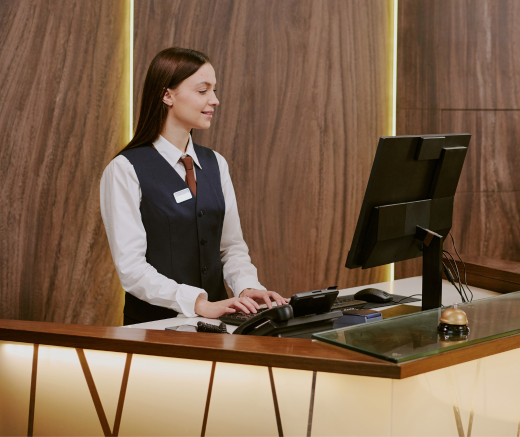
DoubleDesk lets motels answer and manage calls 24/7; the result is higher occupancy and greater returns.

Thank you DoubleDesk for helping during the Valentine’s Day rush by taking calls. Our business grew 20% on previous years'.




"*" indicates required fields