Your phone is only half the battle the other half is the admin that piles up behind it: the emails, the reports, the supplier orders, the follow-ups.
That's where your Digital Workforce comes in. A Worker is a digital team member you hand a repeatable job to, and it gets on with it on its own, around the clock, using the software you already use. Build as many as you like, each owning a different job, and set them up just by talking no technical skills needed.
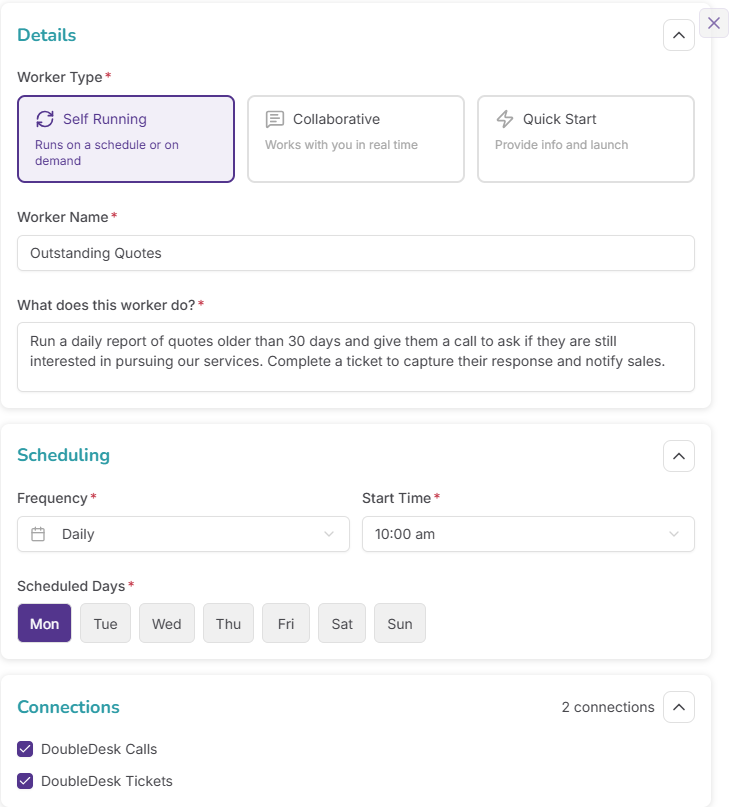
Some run on a schedule, some you start when you need them, and some work alongside you. If a job keeps coming around, a Worker can take it off your plate.
Build as many as you like, each handling a different recurring job, with no cap and no extra cost per Worker.
A single Worker can look things up, pull answers from several places at once, weigh decisions against your rules, write documents and emails, update records, and even make calls.
Pick a self-running Worker that looks after itself, a quick-start Worker you brief in a few words, or a collaborative Worker that works back and forth with you on jobs that need a human eye.
Set a Worker to run on its own as often as every 15 minutes or as little as once a month, and still start any one by hand whenever you want.
Workers can make calls too, chasing leads, running quick surveys, or ringing round a group, up to about 30 at once, with every call reviewed just like your inbound ones.
Watch a Worker work, step by step, including when it's pulling data from your other software, and stop it any time.
Sensible guardrails are built into every Worker, limiting where it can send emails, stopping it going in circles, and keeping it locked to its own job.
See everything in one place: what's running now, what's scheduled next, and the full history of every job that has run.
Every document a Worker creates, from reports and PDFs to spreadsheets and images, is saved automatically for you to download, with every download logged.
Create a Worker just by talking it through; it starts from thousands of ready-made templates and asks about anything it needs before it's finished.
DoubleDesk is a voice-first AI platform built for non-technical small business owners. It delivers two roles in a single product: an AI receptionist that handles inbound calls, including complex tasks like quoting, booking, and capturing orders and a digital workforce that automates the repetitive admin work small businesses spend hours on every week. Owners build, configure, and manage the entire platform by talking to D2, the DoubleDesk business assistant.
DoubleDesk is for small and mid-sized businesses where the phone is both a critical part of the operation and a constant distraction. It works particularly well for businesses where the owner answers calls, where calls roll to voicemail outside hours, where a portion of calls are simple repeat questions, and where some calls are complex enough that they need to be handled with care; quoting, booking, capturing orders, qualifying leads. DoubleDesk is genuinely horizontal and serves industries from florists, motels, and law firms to helicopter charter operators, day spas, commercial cleaners, and medical services.
DoubleDesk is a finished, ready-to-run product, not a developer-facing AI agent toolkit. It’s not something you install on your computer, configure with code, or extend with plugins. It’s a complete platform designed for non-technical small business owners. Owners describe what they want by talking, and DoubleDesk does the rest.
D2 is the DoubleDesk business assistant. D2 is the AI the owner and team talk to inside the DoubleDesk app. D2 helps the owner set up DoubleDesk by conversation, answer questions about how the business is performing, draft messages and emails, manage tickets, and run any digital workforce task. D2 talks to the business; the AI receptionist talks to the business’s customers.
DoubleDesk is an Australian company. Customer data hosting is available in Australian, United States, and European Microsoft Azure regions to meet regulatory and residency requirements.
DoubleDesk will not invent an answer. If the receptionist hits a gap in her knowledge during a call, she escalates, either by transferring to a person, taking a structured message, or running a fallback Playbook the owner has configured. The gap is also flagged so the owner can plug it, ensuring the same gap doesn’t recur.

It’s reassuring to know DoubleDesk is there to look after calls while I am busy, handling each inquiry in a way that reflects me and my salon, even when I’m unable to get to the phone.
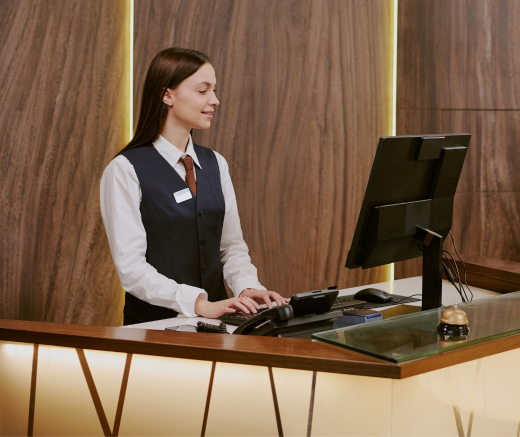
DoubleDesk lets motels answer and manage calls 24/7; the result is higher occupancy and greater returns.

Thank you DoubleDesk for helping during the Valentine’s Day rush by taking calls. Our business grew 20% on previous years'.