
Some calls need more than a quick message. A new patient to book in, an inquiry to follow up, an issue to resolve. Smart Tickets capture exactly that.
You decide what details each kind of ticket should hold, and your Playbooks and Workers fill them in automatically. No typing, no copying between systems.
They're genuinely smart, they tidy and sort information as it comes in, and can even size up an inquiry for you.
Everything lands in one place. Your whole team can see every job, who's on it, and what's still open, so nothing slips through the cracks.
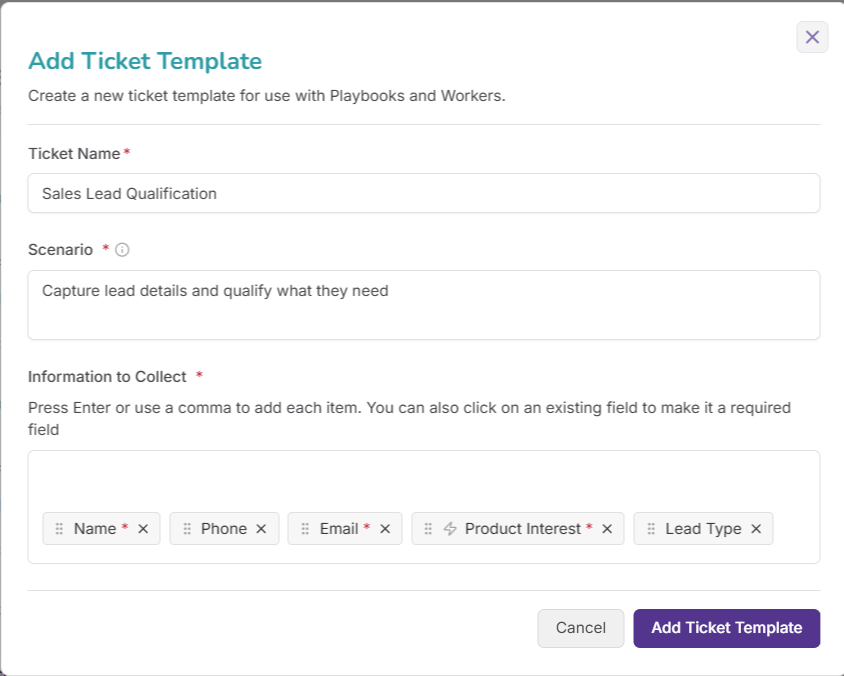
You decide exactly what each kind of ticket captures. Nothing is fixed, and you can mark anything as essential.
Beyond just collecting details, a ticket can keep answers tidy. Sort them into your own brackets, and work things out from the conversation, like rating an inquiry, without asking the caller.
Tickets are created and filled in by your Playbooks and Workers, only when the moment warrants it. No manual typing.
Track each job through clear stages, add notes, reassign, re-prioritize, print, and update in bulk. You control who sees what.
Workers and D2 can read and update tickets, so whole stretches of admin, like pushing approved leads into your records, run themselves.
Smart Ticket is a structured record with fields you choose, created automatically from a call or a Worker. It captures and tracks a job such as an order, an inquiry, or an issue in one place your team can manage.
Your Playbooks and Workers create and fill them in automatically as a call or task runs, so there's no manual typing. A ticket is only created when the situation actually warrants it.
Yes. Every field is yours to define, and you can mark any as essential. Your receptionist makes sure essential details are captured before a call ends.
As well as collecting details, a ticket can validate answers, sort them into your own brackets, and even work something out from the conversation, like rating an inquiry hot, warm or cold, without asking the caller.
In the Tickets area of the app. You can filter by urgent, open, completed or assigned to you, add notes, change status, and update many at once.
Yes. Workers and D2 can read and update tickets, so approved information can flow into your connected records automatically.

It’s reassuring to know DoubleDesk is there to look after calls while I am busy, handling each inquiry in a way that reflects me and my salon, even when I’m unable to get to the phone.
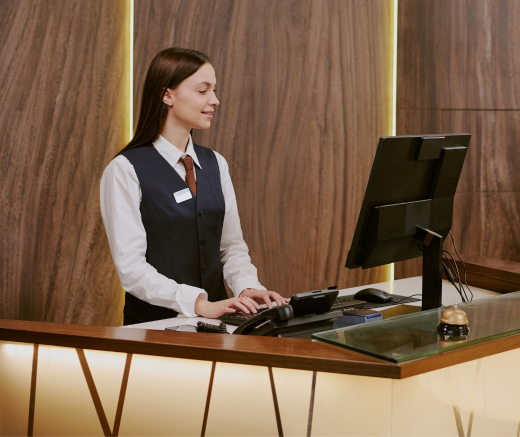
DoubleDesk lets motels answer and manage calls 24/7; the result is higher occupancy and greater returns.

Thank you DoubleDesk for helping during the Valentine’s Day rush by taking calls. Our business grew 20% on previous years'.